
Best GPUs for LLM Training and Deployment in 2026
Introduction
As we enter 2026, choosing the right GPU for training and deploying large language models (LLMs) has never been more critical. Model sizes are exploding into hundreds of billions of parameters, driving up memory, compute and bandwidth.
What worked in 2025 no longer suffices - today’s LLM workflows require more VRAM, higher tensor-core throughput, multi-GPU scalability and smarter memory optimization. From research labs to enterprises, selecting the right GPU is now a strategic infrastructure decision that directly impacts performance, cost and scalability.
This blog highlights the best GPUs for LLM workloads in 2026, compares options across budgets and user profiles and offers insight into optimization strategies for local and cloud-based deployments.
GPU Requirements for LLMs
When evaluating GPUs for training or inference, several technical specifications play a decisive role:
- VRAM (Video Memory): Determines whether your GPU can even load a model. For LLMs with 70B+ parameters, 80 GB or more VRAM is often required.
- Memory Bandwidth & Bus Width: Speed at which data moves between GPU cores and memory - crucial for large matrix multiplications in transformers.
- Tensor/Core Performance: Modern GPUs accelerate FP16, BF16, FP8 and INT4 precision formats, enabling faster, more efficient training and inference.
- Multi-GPU Scalability: For ultra-large models, interconnects like NVLink or PCIe Gen5 ensure smooth distributed computation.
- Power & Cooling: Data-centre-class GPUs often draw 700W+ and require robust cooling infrastructure.
- Inference Optimization: GPUs supporting quantization, mixed precision and caching yield lower latency and cost per token.
Key takeaway: A GPU that was “good enough” in 2025 might now bottleneck production pipelines. Plan for headroom in memory, precision formats and scaling.
Best GPUs for LLM Training and Inference in 2026
Based on 2025 benchmarks and market availability, these are the top GPU choices for different workloads and user categories.
Enterprise / Data Center Tier
- NVIDIA H100: The benchmark for LLM training and inference. High tensor-core throughput, 80 GB HBM3 memory and advanced FP8/BF16 support.
- AMD MI300X: A powerful alternative with impressive bandwidth and energy efficiency, making it increasingly popular for large-scale training clusters.
- NVIDIA A100: Still relevant for established AI pipelines - offers robust multi-GPU scaling and excellent maturity in the ecosystem.
High-End Workstation / Hybrid Use
- NVIDIA RTX 6000 Ada: Ideal for mid-scale model training and inference workloads. Excellent balance of performance, cost and reliability.
- NVIDIA RTX 4090: The most capable consumer-grade GPU - perfect for research, developers and small teams experimenting with 7B–30B models.
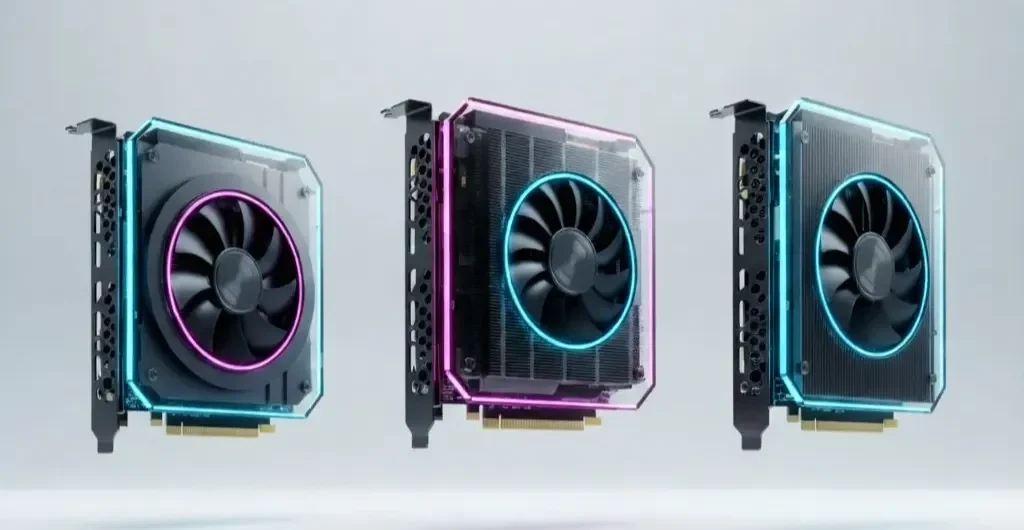
Quick Comparison by User Profile
| User Type | Recommended GPU | Why It Fits |
|---|---|---|
Hobbyist / Individual Developer |
RTX 4090 |
Affordable yet powerful for local inference and small fine-tuning tasks |
AI Start-up / Small Business |
RTX 6000 Ada / A100 |
Scalable, balanced cost-performance for 10–70B parameter models |
Enterprise / Research Institution |
H100 / MI300X |
High throughput, multi-GPU scalability, 100B+ model support |
GPUs for Local LLMs and Ollama Deployments
For local AI development - using frameworks like Ollama, LM Studio, or vLLM - developers need GPUs that balance VRAM, precision support and power efficiency.
- Models up to 13B parameters typically require 24–32 GB VRAM.
- RTX 4090 or RTX 6000 Ada offer excellent performance for such workloads.
- Advanced users can run larger models locally using quantization, offloading, or sharding to reduce VRAM requirements.
Example: Running Mistral 7B locally with 8-bit quantization performs smoothly on an RTX 4090, while larger models like Llama 2 70B benefit from multi-GPU or enterprise setups.
Memory Optimization Strategies for Large Models
Even top-tier GPUs hit memory ceilings with billion-parameter models. Efficient optimization is essential:
- Quantization: Compresses weights (FP16 → INT8/INT4), cutting memory usage dramatically.
- Gradient Checkpointing: Recomputes activations during training to save VRAM.
- Tensor or Model Sharing: Distributes model weights across multiple GPUs or CPUs.
- Mixed Precision (BF16/FP8): Speeds computation while maintaining accuracy.
- Memory Bandwidth Optimization: Reduces fragmentation and leverages HBM for faster data flow.
Smart optimization often yields more real-world gains than raw hardware upgrades.
Performance vs Budget: Choosing the Right Tier
When balancing cost, power and scalability, consider your workload and growth plans.
Consumer vs Enterprise GPUs
| Category | Examples | Pros | Cons |
|---|---|---|---|
Consumer / Workstation |
RTX 4090, RTX 6000 Ada |
Affordable, Easy to Deploy Locally |
Limited VRAM, No NVLink |
Enterprise / Data Centre |
H100, A100, MI300X |
Unmatched Performance and scalability |
High cost, Power and Cooling Needs |
Budget Tiers (2026 Outlook)
- Entry (Developers / Hobbyists): 24–32 GB VRAM (e.g., RTX 4090)
- Mid-Tier (AI Start-ups): 48–80 GB VRAM (e.g., RTX 6000 Ada, A100)
- Enterprise (Large-Scale): 80–100+ GB VRAM with NVLink or Infinity Fabric (e.g., H100, MI300X)
Tip: Invest based on both current needs and near-future growth. Underpowered setups can become bottlenecks faster than expected in the fast-evolving LLM ecosystem.
Conclusion
In 2026, GPU selection for LLMs isn’t just a hardware choice - it’s a strategic investment in your AI capability.
- Developers and researchers can achieve great results with workstation GPUs like the RTX 4090.
- AI startups and small enterprises benefit from flexible mid-tier options like the RTX 6000 Ada or A100.
- Large-scale AI companies and research labs should focus on enterprise-class GPUs like the H100 or MI300X for long-term scalability and performance.
As the AI landscape matures, future-proofing with scalable hardware and optimization-first strategies ensures your infrastructure evolves seamlessly with your models.
Partner With Us
At AI India Innovations, we help businesses build and scale AI infrastructure for LLMs and generative AI - from selecting the right GPUs to fine-tuning, optimization and deployment. Whether you’re a startup accelerating AI development or an enterprise training massive models, our experts ensure performance, efficiency and cost-effectiveness at every step. You can read more about us in our latest Blogs.