NVIDIA’s Vision Programming Interface (VPI): Accelerating AI & Computer Vision
Introduction
NVIDIA VPI is redefining how developers build fast and efficient computer vision systems. For years, vision workloads such as object detection, stereo depth estimation and image correction struggled to run in real time on compact, power-efficient devices.
On one hand, traditional libraries like OpenCV are easy to use but often fall short on performance. On the other hand, writing custom CUDA kernels delivers speed but demands deep expertise and significant development time.
At AI India Innovations, we bridge this gap using NVIDIA’s Vision Programming Interface (VPI). VPI unlocks the full power of NVIDIA hardware while keeping development simple. As a result, students, researchers and startups can build production-ready vision systems faster and more efficiently.
What Is NVIDIA VPI?
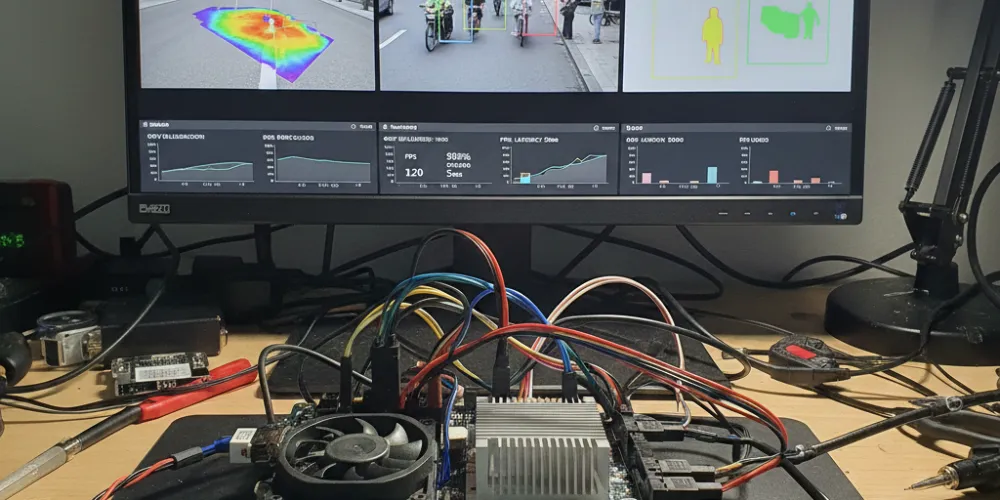
NVIDIA Vision Programming Interface (VPI) is a high-performance framework that connects your vision algorithms directly to NVIDIA hardware accelerators.
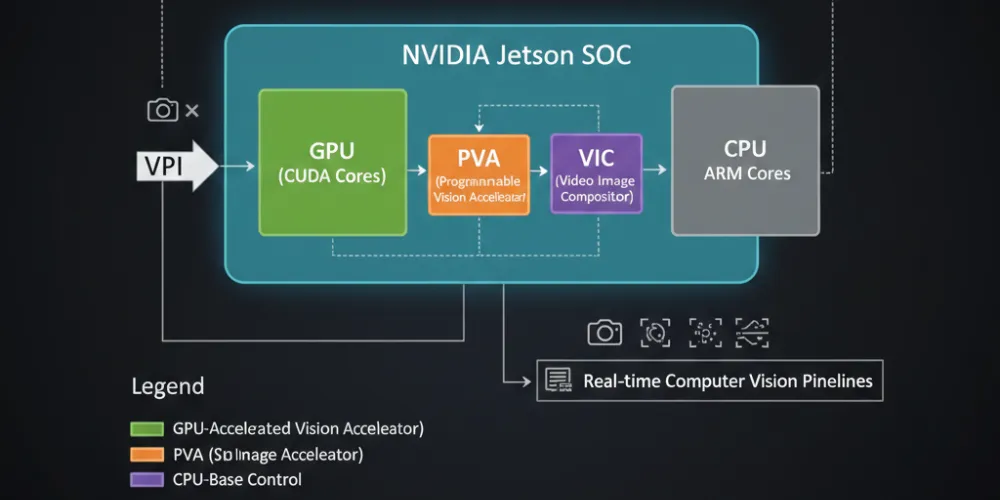
Instead of writing separate code paths, VPI allows the same algorithm to run efficiently across multiple backends. Therefore, developers gain both flexibility and speed without complexity.
Supported Backends in NVIDIA VPI
- CPU
- CUDA GPU
- PVA (Programmable Vision Accelerator)
- VIC (Video Image Compositor)
- OFA (Optical Flow Accelerator)
Because of this multi-backend design, NVIDIA VPI adapts automatically to the most efficient hardware available.
Key Highlights:
- Write Once, Run Anywhere: Switch between CPU and GPU without rewriting code
- Jetson-Ready: Optimized for Jetson Nano, Xavier and Orin platforms
- Pre-Built Algorithms: Gaussian filters, optical flow, stereo disparity and more
- OpenCV Interoperability: Accelerate existing pipelines with minimal changes
- Python and C++ APIs: Suitable for beginners and advanced developers
As a result, NVIDIA VPI significantly lowers the barrier to high-performance vision development.
Why NVIDIA VPI Matters for Students and Startups?
For Students
NVIDIA VPI helps students move from theory to real-world systems.
- Learn practical computer vision without CUDA complexity
- Accelerate OpenCV pipelines by up to 11× on NVIDIA GPUs
- Gain hands-on experience with Jetson-based edge AI
Therefore, students build industry-ready skills much faster.
For Start-ups
For startups, speed and efficiency directly impact survival.
- Deploy real-time vision for robotics, drones and smart cameras
- Optimize power usage by distributing workloads across backends
- Reduce time-to-market from prototype to production
Consequently, NVIDIA VPI becomes a strategic advantage.
Core Features:
- Multi-Backend Architecture: CPU, GPU, PVA, VIC and OFA
- Extensive Vision Library: Filters, distortion correction, tracking, stereo depth
- OpenCV Compatibility: Replace CPU-bound calls with accelerated VPI versions
- Cross-Platform Support: Jetson and x86_64 systems
- JetPack Integration: Seamless fit within NVIDIA’s ecosystem
Because of these features, NVIDIA VPI scales from experiments to production.
Supported Platforms
NVIDIA VPI supports a wide range of devices:
- Jetson AGX Orin (32GB / 64GB)
- Orin NX (8GB / 16GB)
- Orin Nano (4GB / 8GB)
- Linux x86_64 with NVIDIA dGPUs (Maxwell or newer)
It is fully tested on Ubuntu 20.04 and 22.04, ensuring stability and reliability.
Example: Gaussian Blur
Below is a simple example showing how NVIDIA VPI applies a Gaussian Blur efficiently using the CUDA backend:
import vpi

import cv2

img = cv2.imread('input.jpg')

# --- Gaussian Filter with automatic kernel size ---

with vpi.Backend.CUDA:

    with vpi.asimage(img) as vpi_img:

        blurred_auto = vpi_img.gaussian_filter(2.0)

cv2.imshow("Gaussian Blur - Auto Kernel", blurred_auto.cpu())

cv2.waitKey(0)

# --- Gaussian Filter with manual kernel size ---

with vpi.Backend.CUDA:

    with vpi.asimage(img) as vpi_img:

        blurred_manual = vpi_img.gaussian_filter(2.0, ksize=9)

cv2.imshow("Gaussian Blur - Manual Kernel", blurred_manual.cpu())

cv2.waitKey(0)

cv2.destroyAllWindows()
As shown, developers achieve GPU acceleration with minimal code changes.
Visual Output: Gaussian blur
| Input Image | Output Image (σ = 2.0) |
|---|---|
|
|
Original image before Gaussian blur |
Smoothed image using NVIDIA VPI |
Input Image: Original Input Image (Before Gaussian Blur | Output Image: Output Image after Gaussian Blur (σ = 2.0) |

Startup Use Cases Where NVIDIA VPI Excels
VPI delivers exceptional performance across industries:
- Robotics: SLAM, object detection and navigation
- Drones: Optical flow and obstacle avoidance
- AR/VR: Stereo depth and lens correction
- Smart Cameras: Real-time edge inference
- Industrial AI: Defect detection and visual analytics
Therefore, VPI fits perfectly into edge AI pipelines.
Limitations to Consider
While powerful, NVIDIA VPI has a few constraints:
- Limited to NVIDIA’s CUDA ecosystem
- Smaller community compared to OpenCV
- Best suited for vision tasks, not general compute
However, for vision-heavy workloads, these trade-offs are usually acceptable.
The Future of Computer Vision with NVIDIA VPI
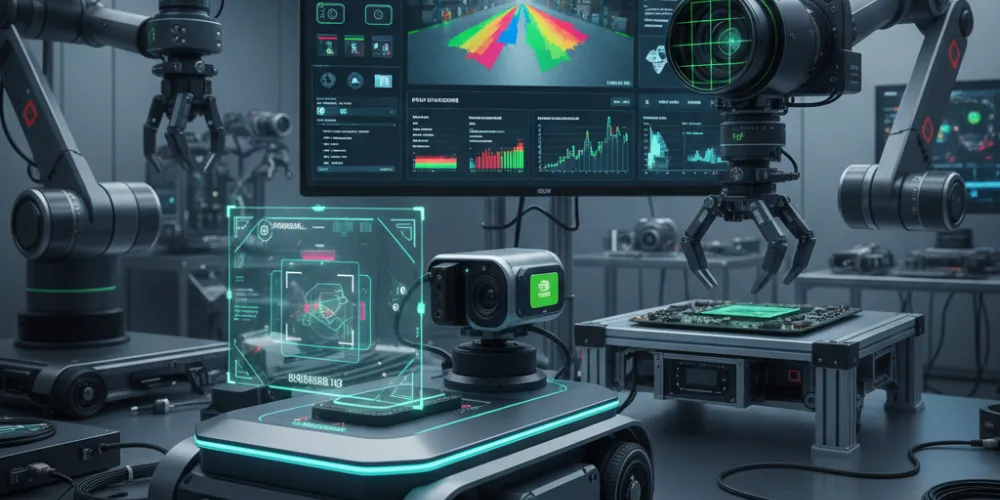
As AI shifts from cloud to edge, performance and efficiency become critical. NVIDIA VPI enables both by combining hardware acceleration with developer-friendly APIs.
At AI India Innovations, we view NVIDIA VPI as a foundational technology for robotics, autonomous systems and edge AI. With the edge AI market expected to exceed $66 billion by 2030, tools like VPI are not optional—they are essential.
👉 You can explore more of our work in the Blogs section on our website.
Happy reading!